You can connect your ABA Bank merchant account (ABA PayWay) to LocalizeBook. Once connected, your customers can pay instantly by scanning the QR code on the transaction receipt or invoice you send them via Telegram.
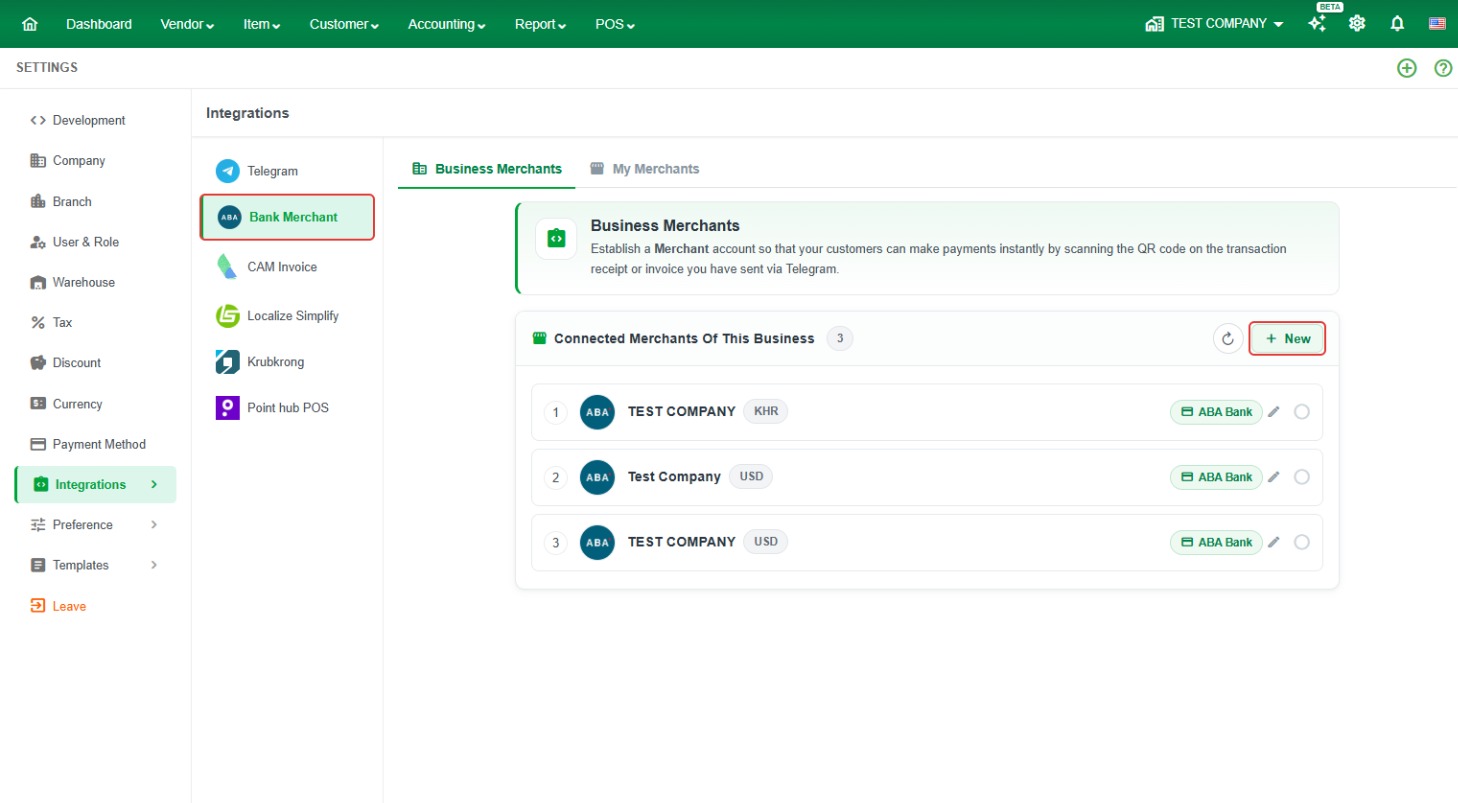
Where to find it: Settings (gear icon) > Integrations > Bank Merchant.
Before you start
- You need an ABA Bank account.
- Install the ABA Mobile app on your phone. You will use it to scan a QR code to link your account.
How to connect ABA Bank Merchant
Step 1. Click the Settings (gear) icon at the top right, then click Integrations > Bank Merchant.
Step 2. On the Business Merchants tab, click + New. If no merchant is connected yet, choose Establish Merchant with ABA Bank.
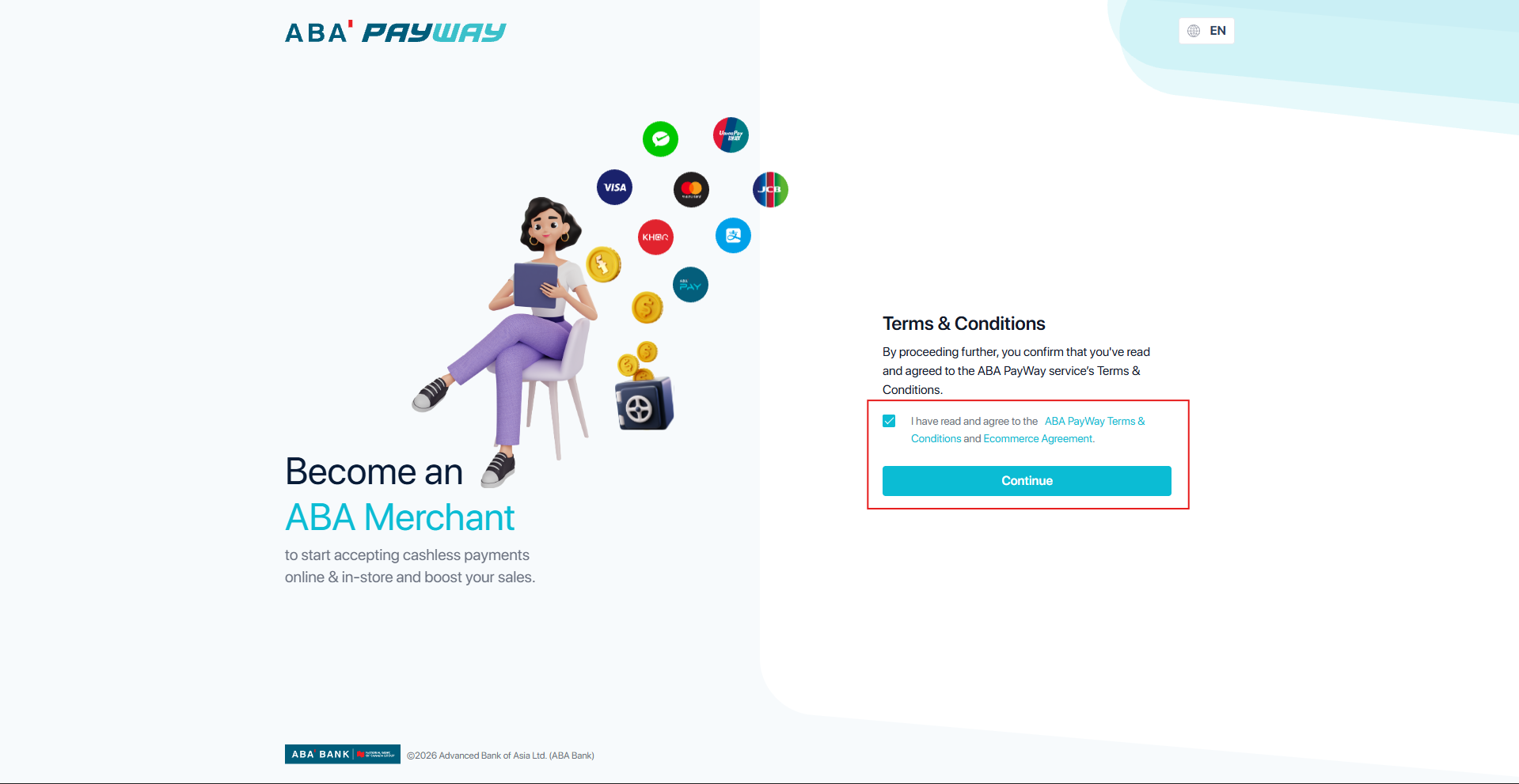
Step 3. The ABA PayWay page opens. Tick I have read and agree to the ABA PayWay Terms & Conditions and Ecommerce Agreement, then click Continue.
Step 4. On the Link your ABA account screen, open ABA Mobile on your phone and scan the QR code. Choose the ABA account you want to link. This account is used for your business transactions, and all payments will appear there.

Step 5. Go back to LocalizeBook. The new merchant appears in the Connected Merchants Of This Business list, with its currency (for example KHR or USD).
Good to know
- You can connect more than one ABA merchant to the same business, for example one KHR account and one USD account.
- If you already connected a merchant before, you can use Import from my connected Merchants instead of creating a new one. Your merchants are listed on the My Merchants tab.
- Customers pay by scanning the QR code on the receipt or invoice you send through Telegram. To send documents via Telegram, connect Telegram first in Settings > Integrations > Telegram.
Frequently asked questions
How do I connect ABA PayWay to LocalizeBook?
Go to Settings > Integrations > Bank Merchant, click + New (or Establish Merchant with ABA Bank), accept the ABA PayWay terms, then scan the QR code with ABA Mobile to link your ABA account.
How can my customers pay with ABA QR?
After your ABA merchant is connected, customers scan the QR code on the receipt or invoice you send them via Telegram and pay instantly.
Where do customer payments go?
Payments go to the ABA account you linked when you scanned the QR code with ABA Mobile.
I don't have ABA Mobile. What should I do?
Download ABA Mobile from Google Play or the App Store and open an ABA account first, then connect it in Bank Merchant.
Can I connect both KHR and USD accounts?
Yes. Click + New again to add another merchant. Each one shows its currency in the connected merchants list.