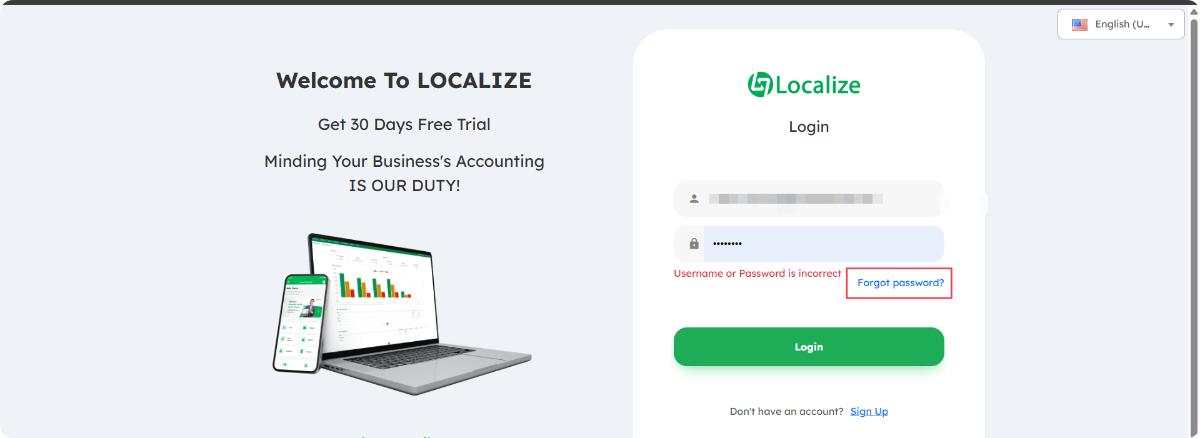
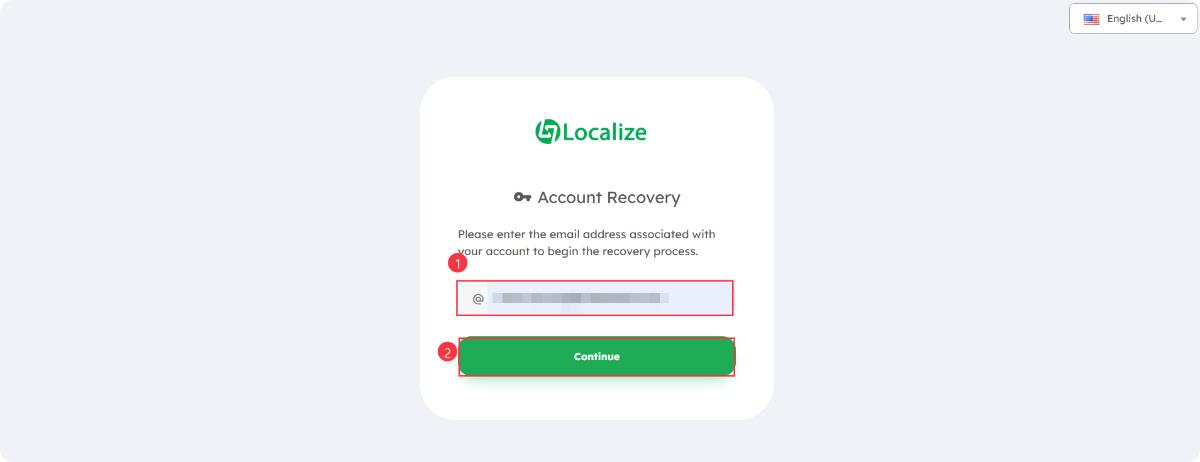
This is the next step to recover your account after clicking "Forgot password".Key Actions on This Page
- Enter Email Address:Type the email address linked to your Localize account into the box marked (1).
- Submit Request:Click the green "Continue" button marked (2) to start the recovery process.The system will send a password reset link or verification code to your email.
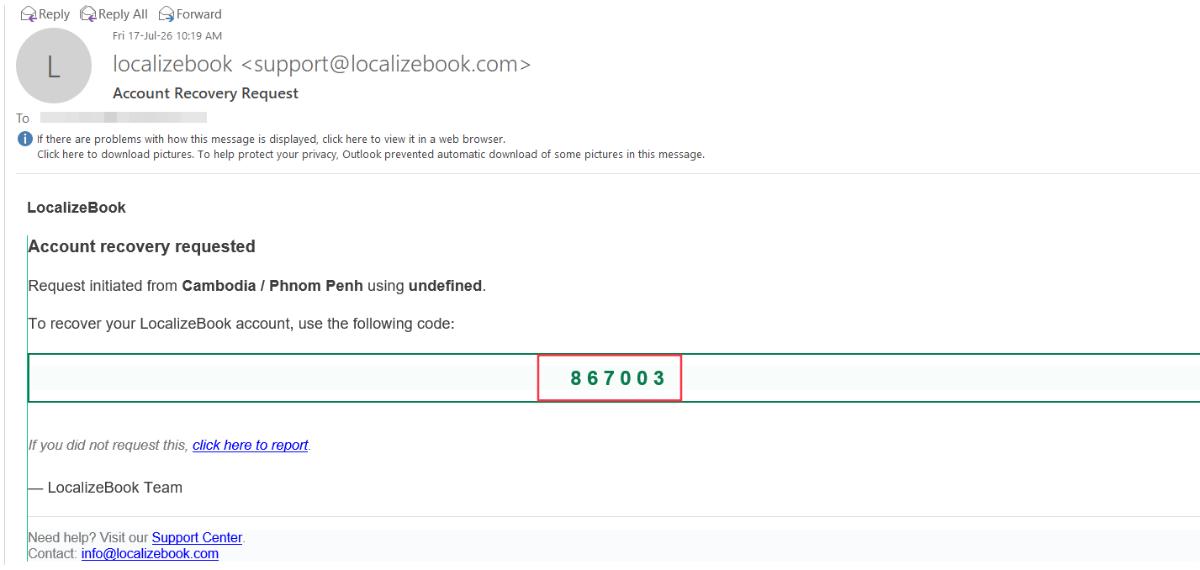
You have successfully received the verification email.Your Verification Code
- Your recovery code is 867003.
Next Steps to Follow
- Go back to the LocalizeBook website tab in your browser.
- Enter this 6-digit code (867003) into the verification box on that page.
- Click submit to create your new password.
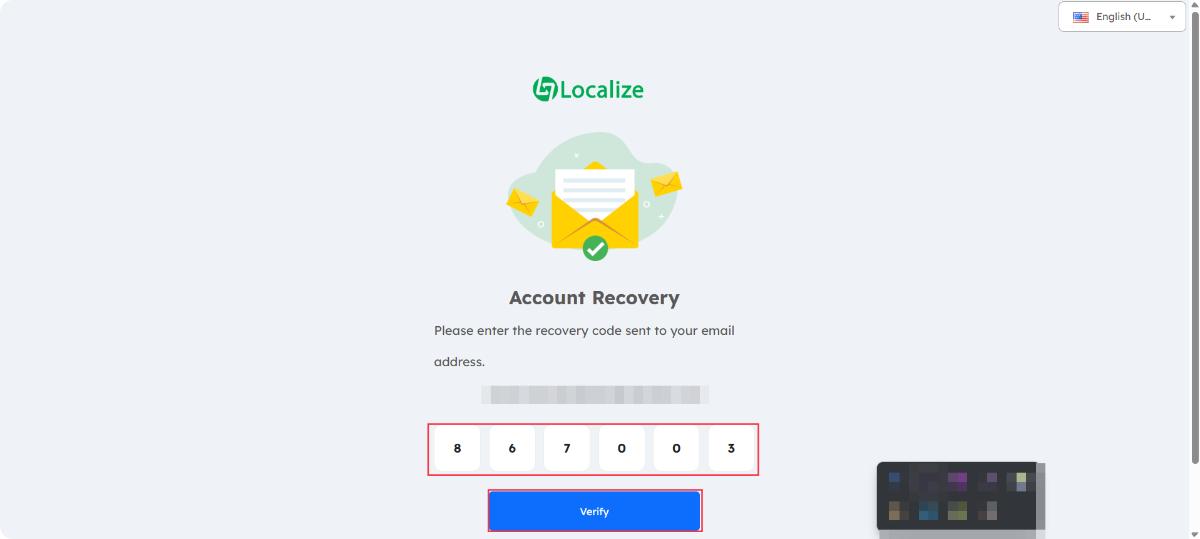
You have successfully entered the verification code into the fields.Final Action to Take
- Click the blue "Verify" button at the bottom of the screen.
What Happens Next
- Once you click Verify, the platform will load a new page.
- You will be prompted to create and confirm your new password.
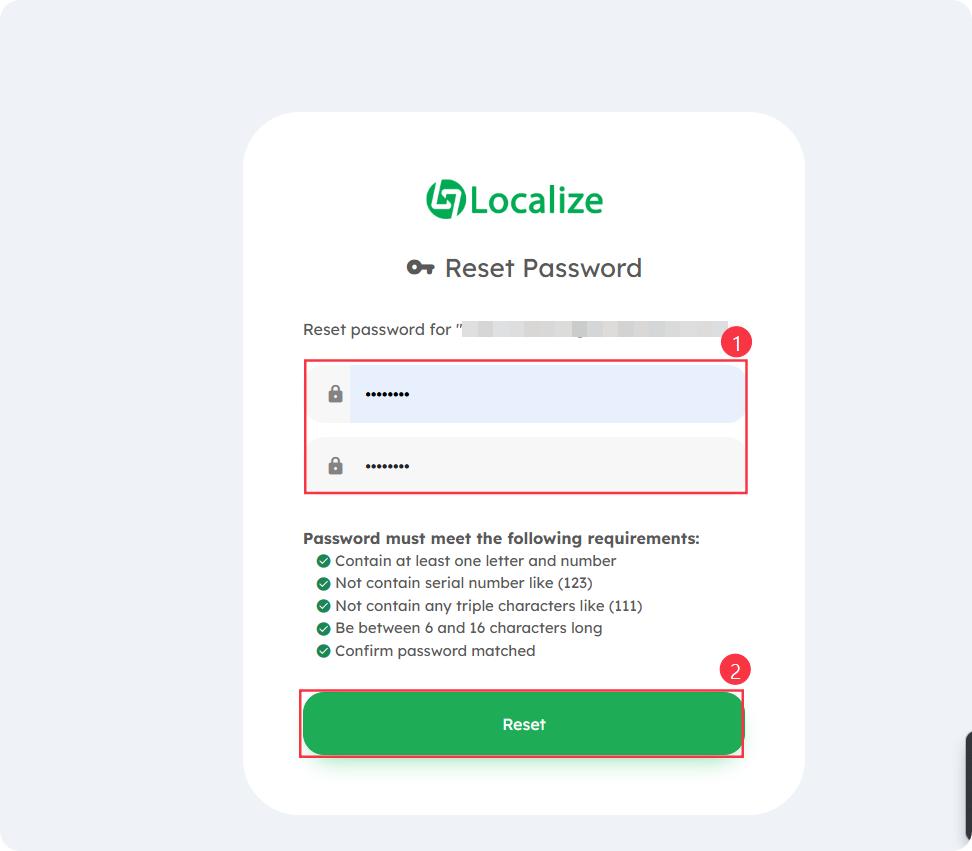
You are now on the final step to set your new password.Key Actions on This Page
- Enter Your New Password:Type your new password into the top box marked (1).Type the exact same password into the bottom box to confirm it.
- Check Password Requirements:Ensure all green checkmarks are lit up under the requirements list:Contains at least one letter and one number.Does not contain sequential numbers (like 123).Does not contain triple repeating characters (like 111).Is between 6 and 16 characters long.Both input fields match exactly.
- Save and Complete:Click the green "Reset" button marked (2) to save your changes and complete the recovery process.