After you have imported all journal transactions for each year (Step 2), check that your figures in LocalizeBook match QuickBooks. Compare the reports year by year, using the QuickBooks reports you exported in Step 1.
Reports to compare
In LocalizeBook, go to Report > All Reports > Company & Finance and run the following reports for each year you migrated:
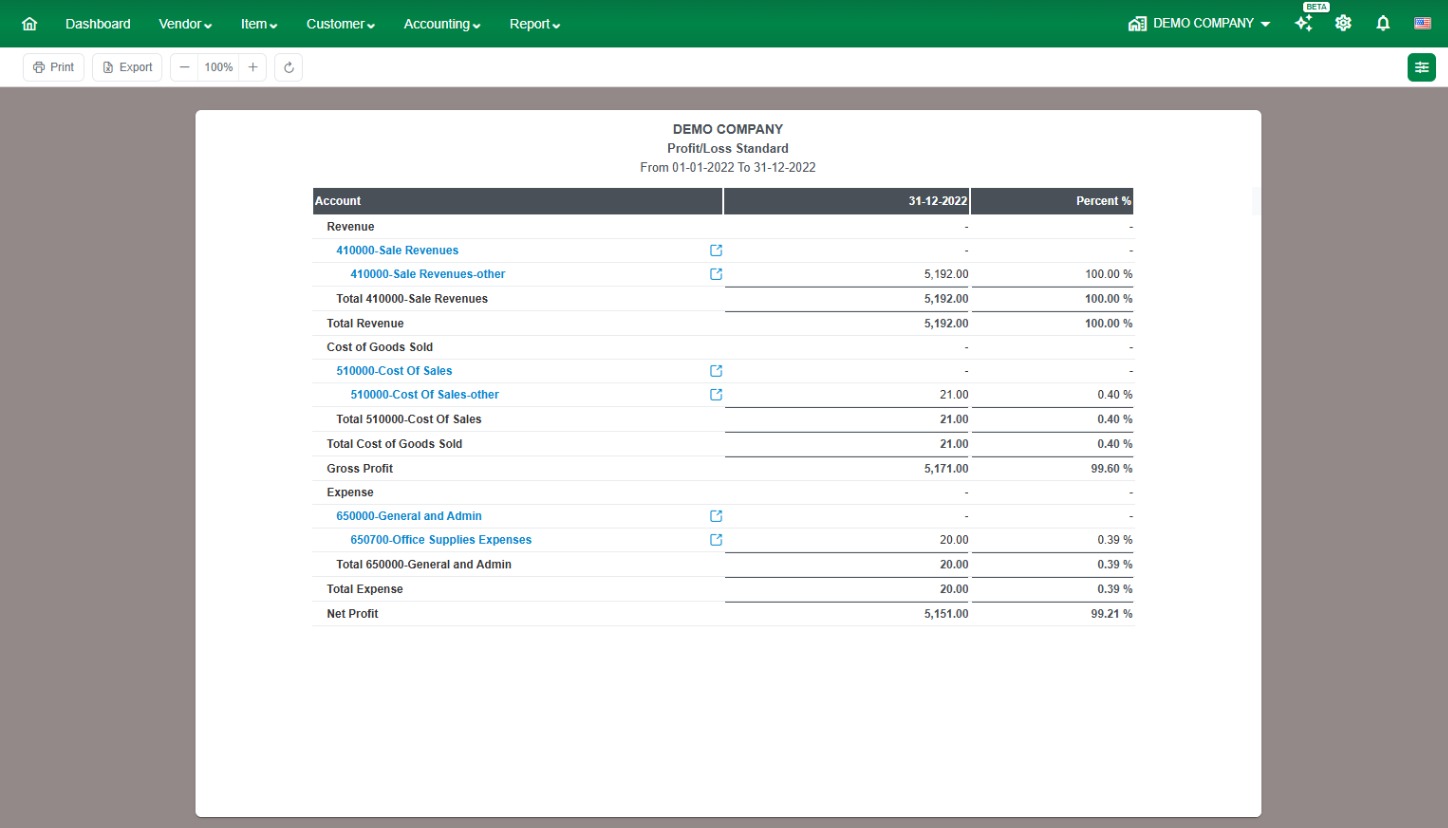
- Profit/Loss by Year (under Profit/Loss)
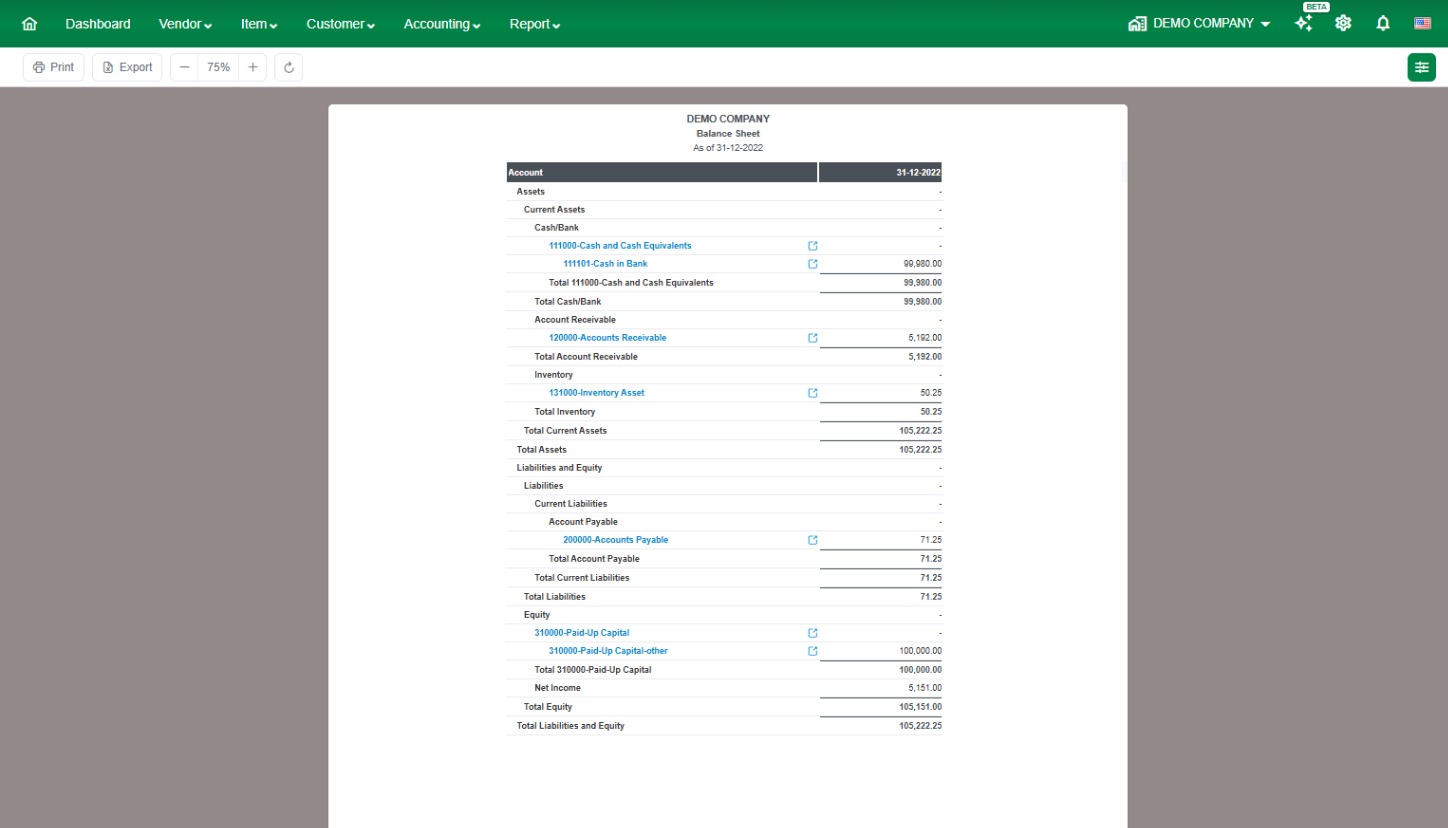
- Balance Sheet by Year (under Balance Sheet)
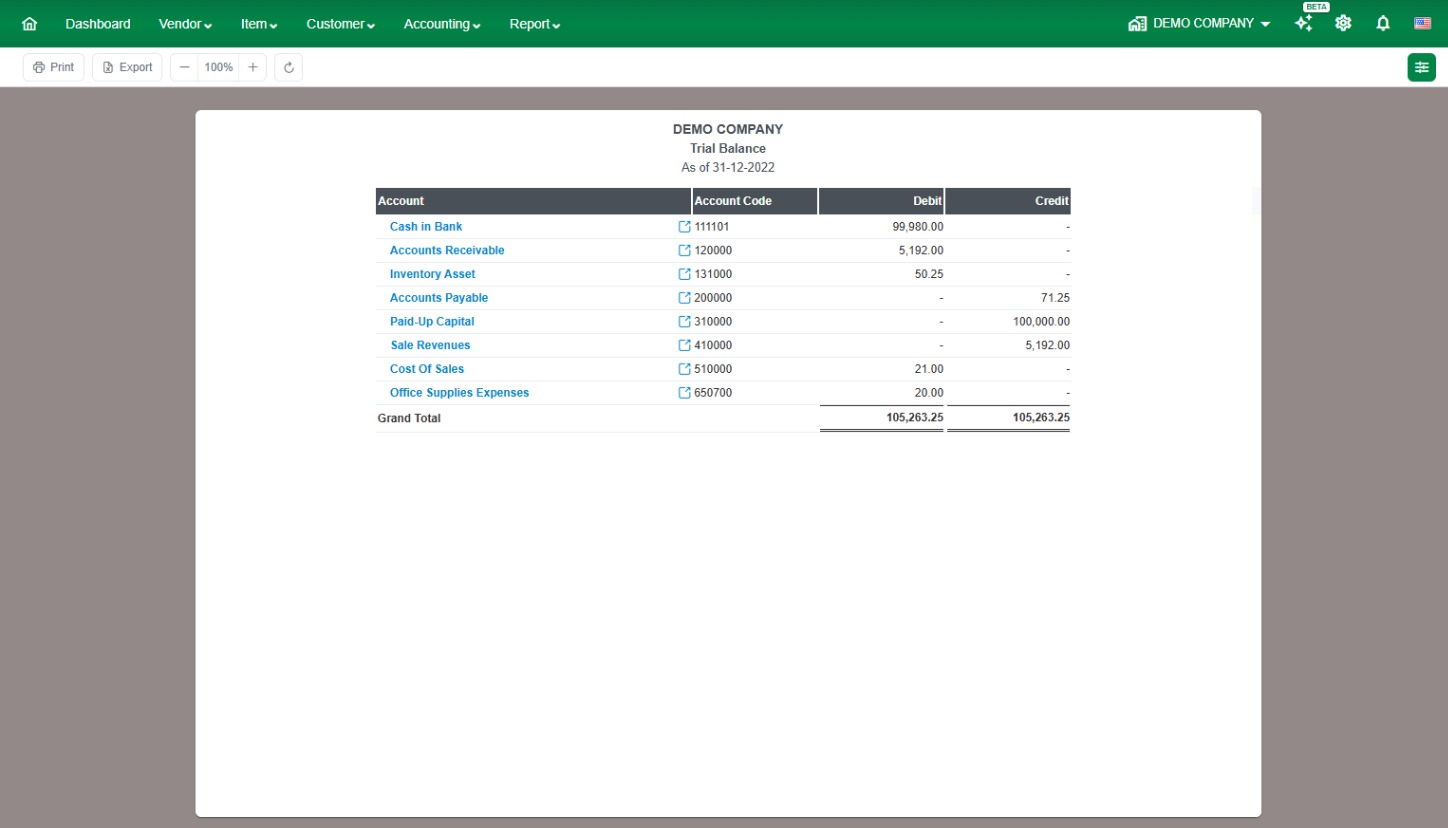
- Trial Balance (under Accountant), run once for each year-end date
Compare each one with the same QuickBooks report. The totals and account balances should match. If a figure is different, check the journal transactions for that year before you move on.
Example reports in LocalizeBook
Profit/Loss
Balance Sheet
Trial Balance
Learn more
For details on running each report in LocalizeBook, see these articles:
- Profit/Loss Standard
- Balance Sheet
- Trial Balance
Next: Step 4: Opening Control Account Balance.