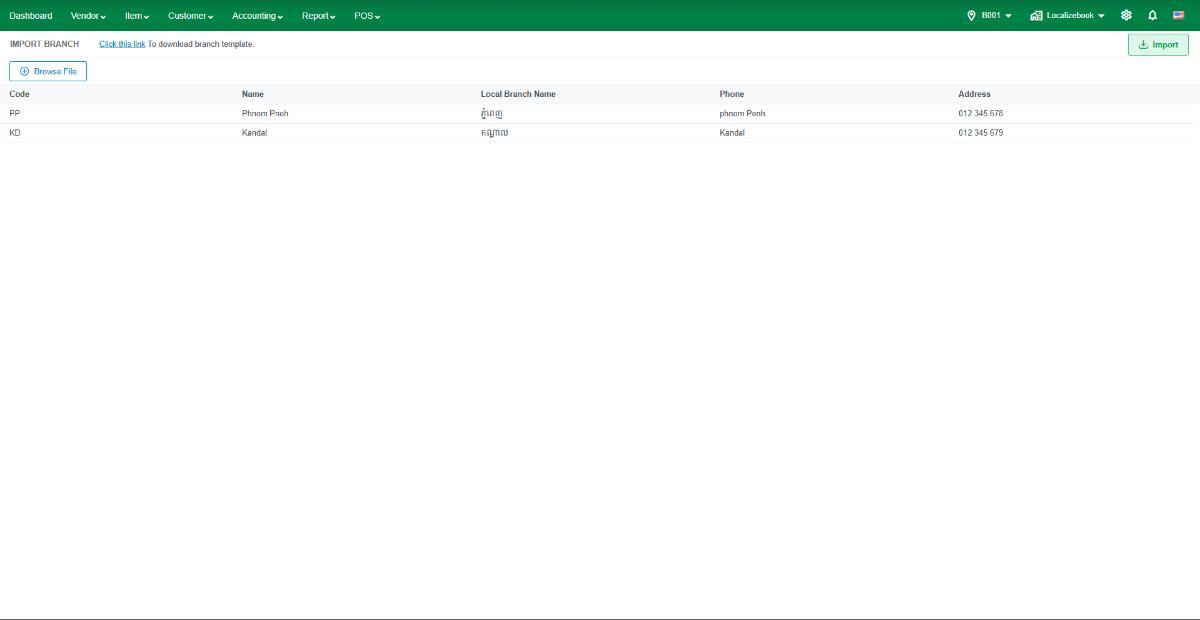
Go to Import Branch into Localizebook system:
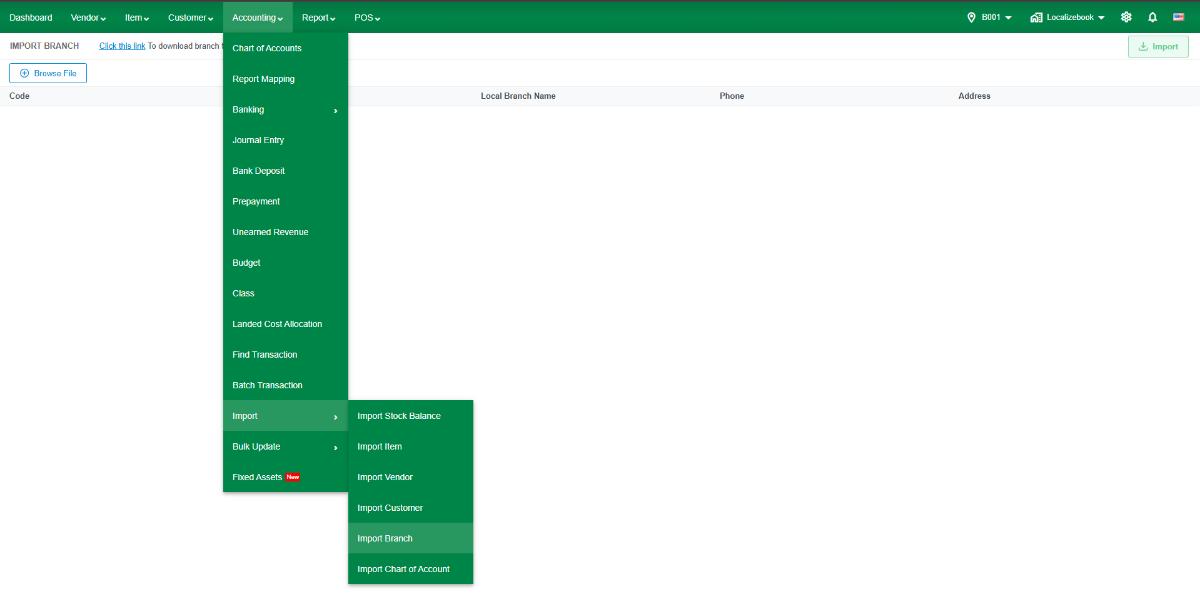
1.Go to the Accounting menu.
2.Click on Import.
3.Click on Import Branch
4.Click on Click this link to download the working template.
 5.Fill in the information for each function and save your excel file.
- BRANCH_CODE : A unique identifier for each Branch in the system. This code is the primary key and should never be duplicated.
- BRANCH_NAME : The official, legal name of the Branch (in English).
- LOCALIZE_BRANCH_NAME : The branch name written in the local language (e.g., Khmer).
- ADDRESS :
- PHONE : The main contact phone number for the branch.
 5.After filling all the information please back to the system:
- Click on Browse File and select the template with your item data and preview your item details. If data is loaded, you are ready to import. But if there is any error, messages will be shown.
- Click on Import to import your items into Localize.