These settings control customer records and sale transactions. Path: Settings > Preference > Customer.
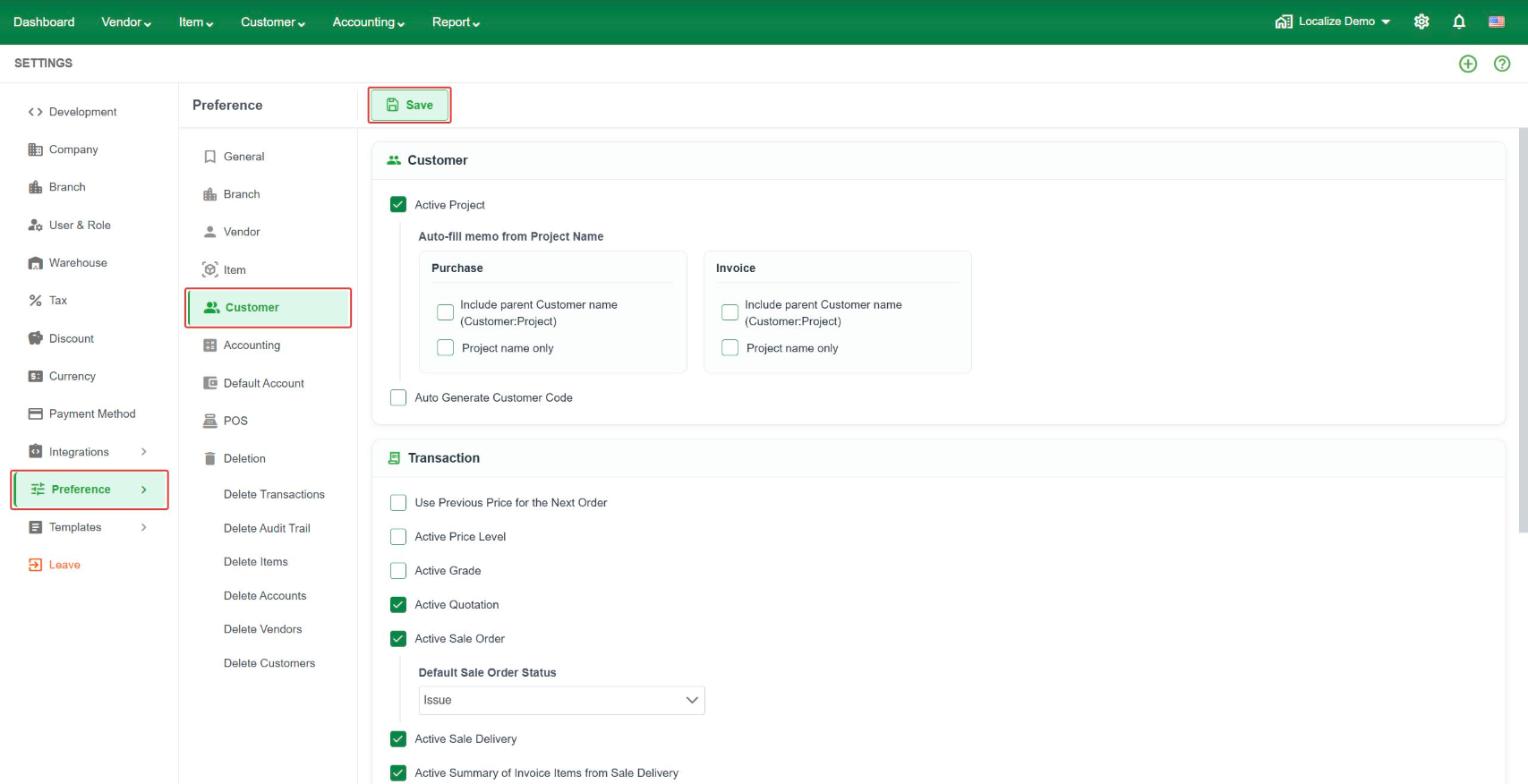 Customer
- Active Project – track projects under a customer (Customer:Project).
- Auto-fill memo from Project Name – fill the memo automatically from the project name. Set it separately for Purchase and Invoice. Choose Include parent Customer name (Customer:Project) to show the customer and project in the memo, or Project name only to show only the project name.
- Auto Generate Customer Code – LocalizeBook creates the customer code for you when you add a customer.
Transaction
- Use Previous Price for the Next Order – fill in the price from the customer's last order.
- Active Price Level – use price levels for different customer groups.
- Active Grade – use customer grades.
- Active Quotation – use Quotations.
- Active Sale Order – use Sale Orders. When on, choose the Default Sale Order Status for new orders, for example Issue.
- Active Sale Delivery – use Sale Delivery (goods delivery note).
- Active Summary of Invoice Items from Sale Delivery – summarize the items from Sale Delivery when you create the invoice.
- Active Sale Receipt – use Sale Receipts.
- Active Discount on Invoice and Active Discount on Collection – allow discounts on invoices and on collections.
- Invoice Type – choose which invoice types you use: Standard Invoice, Tax Invoice, and Commercial Invoice.
Tax
- Active Tax Sales – use tax on sales.
- Active State Charge – use state charge on sales.