These settings control item features and stock transactions. Path: Settings > Preference > Item.
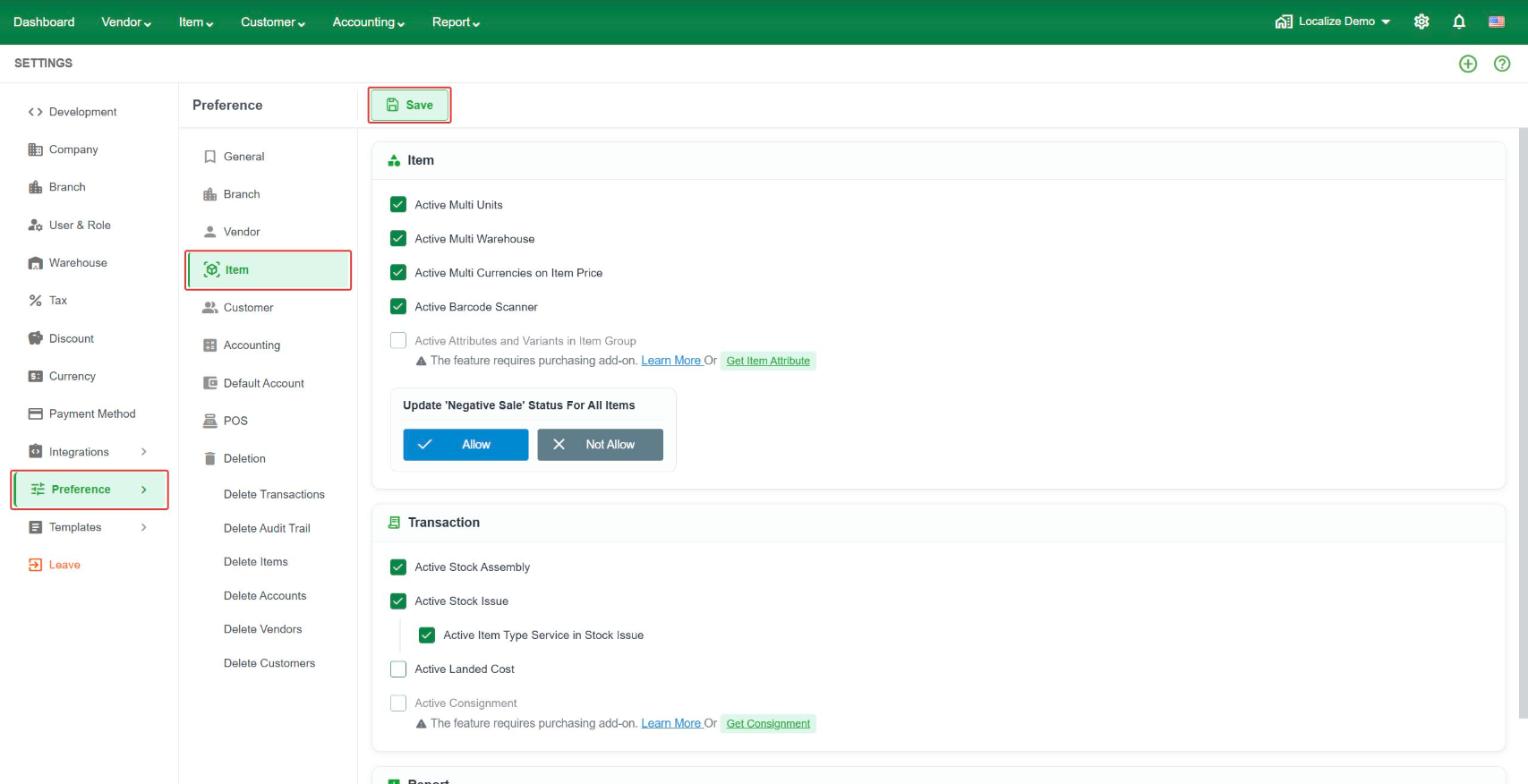 Item
Item
- Active Multi Units – let an item use more than one unit, such as Piece, Box, and Carton. See Article of "Unit Set" for detail.
- Active Multi Warehouse – keep stock in more than one warehouse.
- Active Multi Currencies on Item Price – allow you to set and maintain item prices in multiple currencies.
When enabled, you can manually define the price for each currency instead of having Localize automatically convert the price based on the exchange rate.
Example:
Base price: $100 USD
Manual price in KHR: ៛420,000
Manual price in THB: ฿3,500
Each currency can have its own price, giving you control over the actual selling price offered to customers in different currencies.
- Active Barcode Scanner – use a barcode scanner to quickly find and select items when creating transactions.
- Active Attributes and Variants in Item Group – manage different item attributes and variants within an Item Group. For example, a T-shirt can have variants based on Size and Color. This feature requires the Item Attribute add-on.
- Update 'Negative Sale' Status for All Items – update the negative stock selling setting for all existing items at once. Select Allow to let all items be sold when their stock quantity is zero or below, or Not Allow to prevent sales when there is insufficient stock. This setting affects all existing items, so review your choice carefully before applying it.
Transaction
- Show Item Code in Transaction – display the item code next to the item name when selecting items in transaction lines. This makes it easier to identify items, especially when similar items have different codes.
- Alert for Duplicate Item in Transaction – show a warning when the same item is added more than once to a transaction. This helps prevent duplicate item entries and makes transaction data easier to review.
- Active Stock Assembly – use Stock Assembly to build assembled or finished items from their component items. This is useful when a finished product is made by combining multiple items or materials.
- Active Stock Issue – use Stock Issue to remove stock from inventory for internal use, production, damaged items, or other activities that are not sales. When this setting is enabled, you can also enable Active Item Type Service in Stock Issue to allow Service items to be included in Stock Issue transactions.
- Active Landed Cost – include additional costs, such as freight, customs duty, shipping, or handling fees, in the cost of purchased items. This helps calculate a more accurate inventory cost.
- Active Consignment – manage goods owned by your business that are placed with other parties for sale on your behalf. This feature requires the Consignment add-on.
Report
- Show Item Code in Report – show the item code in item reports.