The Deletion pages permanently remove data from your business. Path: Settings > Preference > Deletion.
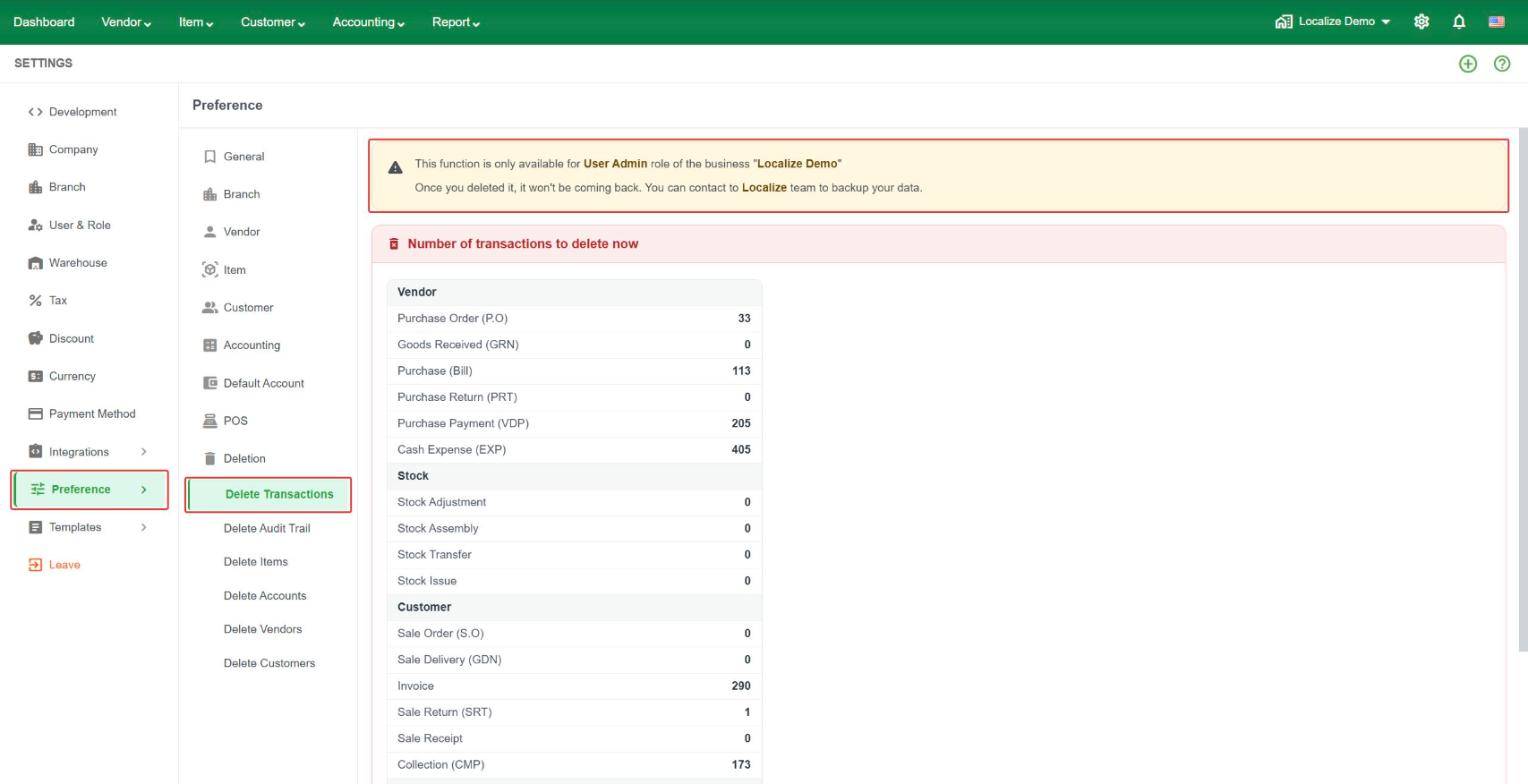
Warning: only a User Admin can use these functions. Once data is deleted it cannot be brought back. Contact the Localize team first if you need a backup of your data.
Each page shows how much data you have now, with a red Delete button at the bottom.
- Delete Transactions – shows the number of transactions by type: Vendor (Purchase Order, Goods Received, Purchase Bill, Purchase Return, Purchase Payment, Cash Expense), Stock (Adjustment, Assembly, Transfer, Issue), Customer (Sale Order, Sale Delivery, Invoice, Sale Return, Sale Receipt, Collection), and Account (Journal Entry, Bank Deposit, Landed Cost Allocation).
- Delete Audit Trail – shows the total number of audit trail records.
- Delete Items – shows the total number of items.
- Delete Accounts – shows the total number of accounts.
- Delete Vendors – shows the total number of vendors.
- Delete Customers – shows the total number of customers.