Batch Cash Expense lets you import many cash expenses into LocalizeBook at once from an Excel file. A cash expense is an expense you have already paid at the time of purchase (an instant payment), so no bill is left open. Use it to migrate or record a large number of paid expenses.
Note: To pay bills that are already recorded in LocalizeBook, use Batch Payment (VDP) instead.
Where to find it
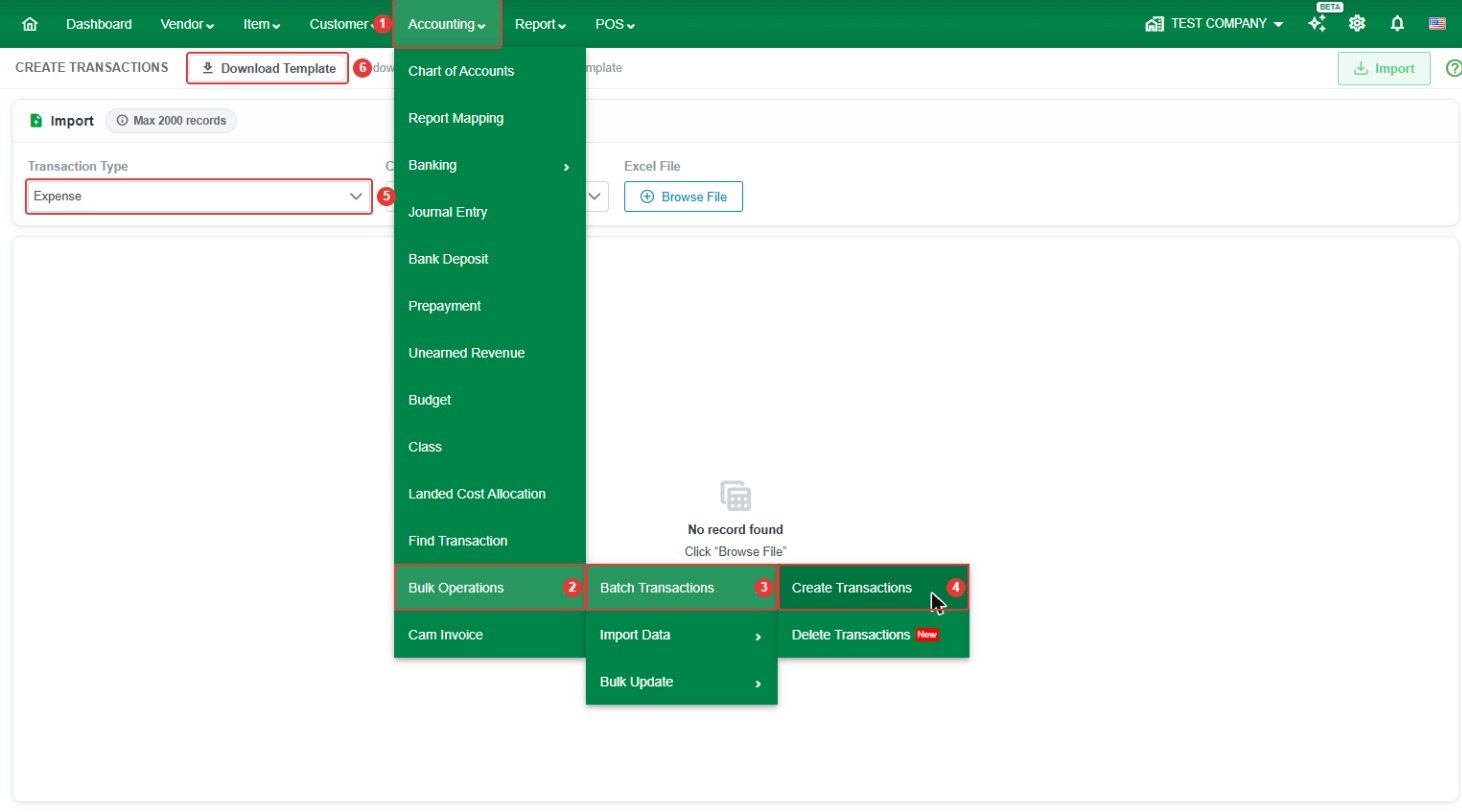
Go to Accounting > Bulk Operations > Batch Transactions > Create Transactions, then set Transaction Type to Expense.
- Record limit: up to 2000 records per import. Split larger files into several imports.
- Currency: select the currency of the expenses.
- In the Transaction Type list, this option is called Expense.
How to import cash expenses
Step 1. Go to Accounting > Bulk Operations > Batch Transactions > Create Transactions.
Step 2. Set Transaction Type to Expense. Select the Currency.
Step 3. Click Download Template to download the template for this transaction type.
Step 4. Fill in the template (see the column guide below) and save the Excel file.

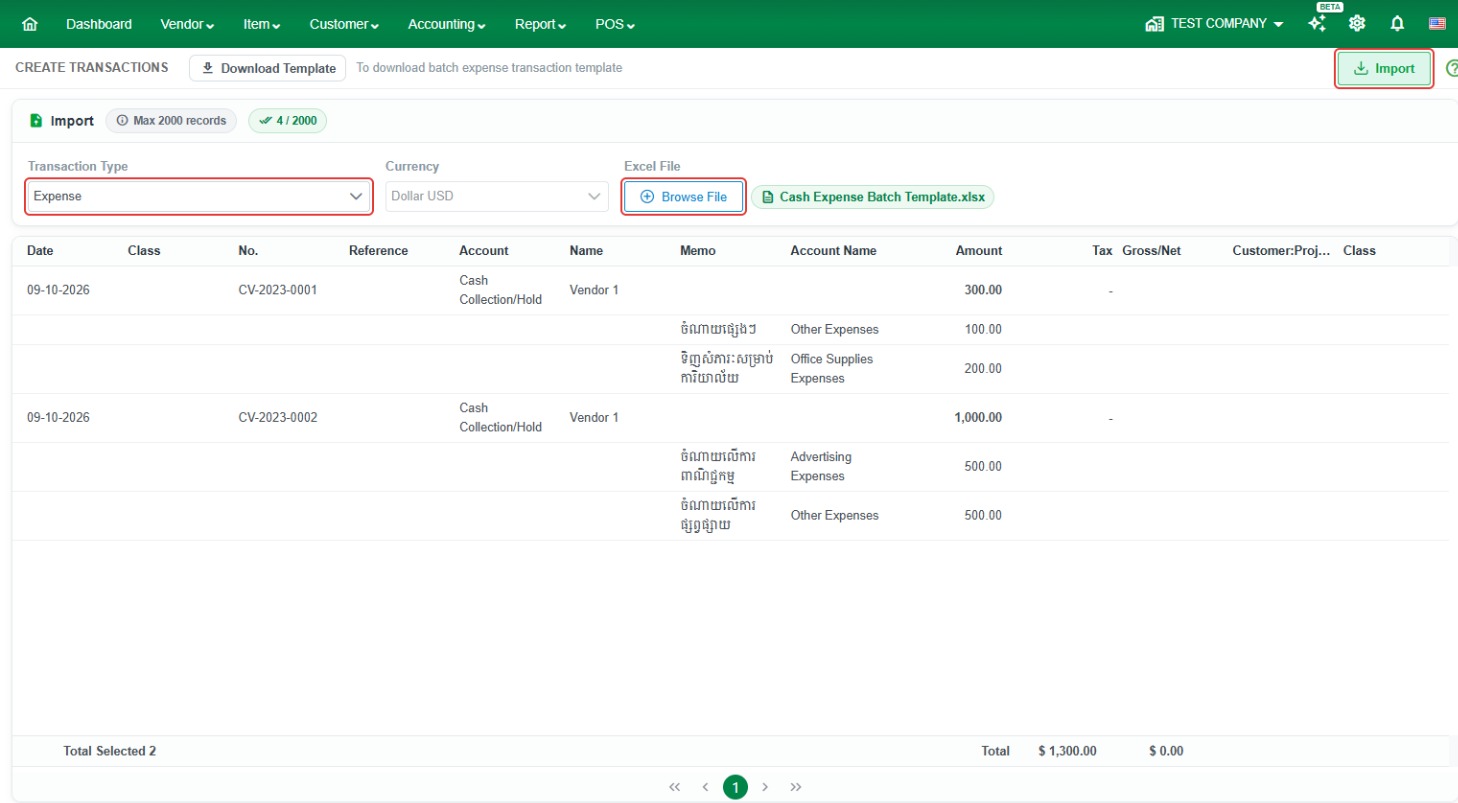
Step 5. Back in LocalizeBook, click Browse File and select your completed file. The rows are loaded on screen. If any row has a problem, an error message is shown so you can fix the file and load it again.
Step 6. When there are no errors, click Import to create the cash expenses.
Template column guide
Transaction details
- DATE (required) – The transaction date.
- NUM (required) – The expense number.
- NAME (required) – The vendor (payee) name.
- BANK ACCOUNT CODE – The Chart of Accounts code of the bank or cash account the expense was paid from.
- CLASS – The class for the transaction.
- MEMO – A note for the transaction. Leave blank if not needed.
Expense lines
- ACCOUNT CODE (required) – The Chart of Accounts code of the expense account.
- AMOUNT (required) – The expense amount.
- MEMO DETAIL (required) – A description of the expense line.
- CLASS DETAIL – The class for the expense line.
Common questions
How many cash expenses can I import at once? Up to 2,000 records per import.
What is the difference between Cash Expense and Purchase? A cash expense is paid immediately. A purchase (bill) is recorded first and paid later, so it stays in Accounts Payable until it is paid.
Why does my import show an error? Common causes are a name (vendor, customer, or item) that does not exactly match an existing record in LocalizeBook, an account code that does not exist in your Chart of Accounts, a missing required column, or a file with more rows than the record limit.
How do I delete transactions that were imported by mistake? Go to Accounting > Bulk Operations > Batch Transactions > Delete Transactions, set the Transaction filter to Cash Expense, click Search, select the transactions, and click Delete Transactions.